
Get to know the Object Model
You have now a basic understanding of Carrier Connect – let's have a closer look at the objects the system uses.
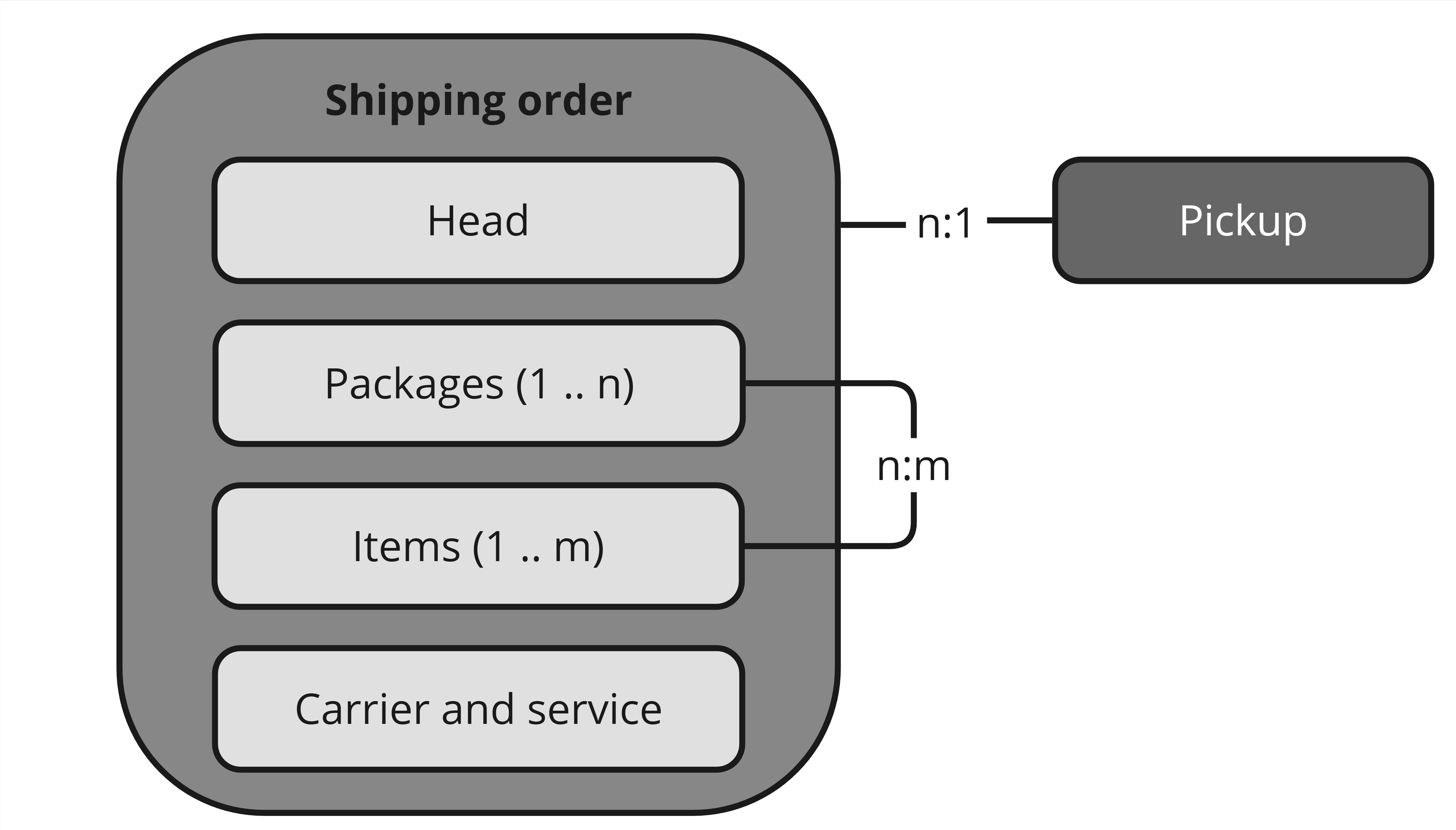
Shipping order
A shipping order is called shipment in the API. It has four data structures:
| Concept | In the API | Contains |
|---|---|---|
| Head | fields directly on shipment | Header data of the shipping order: shipper (shippingPt) and recipient (consignee) of the shipment, and the handling conditions. |
| Packages | shipment.packages[] | The packages to be shipped — dimensions, weight. |
| Items | shipment.items[] | The items shipped in the shipment — value and quantity. Items can be packed in packages, so the relationship between items and packages is n:m. |
| Carrier and service | shipment.carrierIdentCode, shipment.serviceCode | The selected shipping option. The carrier is automatically derived from the selected service code and is returned as part of the response. |
Two identifiers you supply are worth knowing before your first call:
shipment.transactionId— your unique reference to the business transaction in your system. Carrier Connect rejects a second shipping order with the sametransactionId, which is also what makes retries safe. See Carrier Connect API Essentials.clientSystemId— sits on the request, not on the shipment, and identifies the sending host or ERP system (e.g. its installation ID). Set it when more than one system feeds the same Carrier Connect client, so shipping orders stay attributable to their source.
Pickup
When shipping orders are completed, they are bundled into so-called pickups. When a pickup is complete, the configured documents, such as the manifest, are generated as a PDF and made available to the source system via API. At the same time as the pickup is completed, the shipping orders data is sent to the carrier via EDI or webservice.
Pickups have their own operations: createPickup, processPickup, getPickups, syncPickups, deletePickup.
Updated 3 months ago
Did this page help you?