
DSV Air Freight (Europe): Account Configuration
For general information about how to configure a carrier in Carrier Connect, refer to our User Guide (German version).
To create a new DSV Air Freight (Europe) account in Carrier Connect, open DSV Air Freight (Europe) in Master data > Carrier configurations. In the tab Accounts click on New.
Select account type DSVAIR_API2.
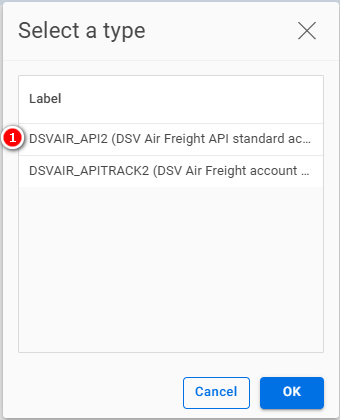
If you want to create a new account, choose No:

DSV Air Freight (Europe) account



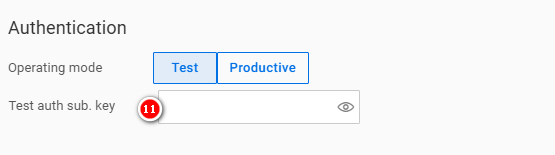
| Number | Field | Comment |
|---|---|---|
| 1 | Shipper | The address of the shipper |
| 2 | Carrier address | The address of the carrier (depot) |
| 3 | Condition | See our user guide |
| 4 | Customer no. | Assigned by the carrier |
| 5 | GS1 base no. | Your company's GS1 base number |
| 6 | Package no. range | See Package number range |
| 7 | Test user name (Web service data) | Assigned by the carrier |
| 8 | Test password (Web service data) | Assigned by the carrier |
| 9 | Test subscription key (Web service data) | Assigned by the carrier |
| 10 | Test subscription key (Document upload) | Assigned by the carrier |
| 11 | Test auth sub. key (Authentication) | Assigned by the carrier |
Package number range
For general information about how to configure number ranges refer to Entering new number ranges and receiving notifications (German version) in our Carrier Connect user guide.
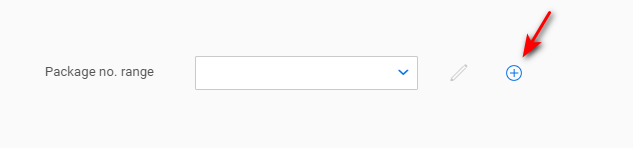
Click on the + to create a new number range:
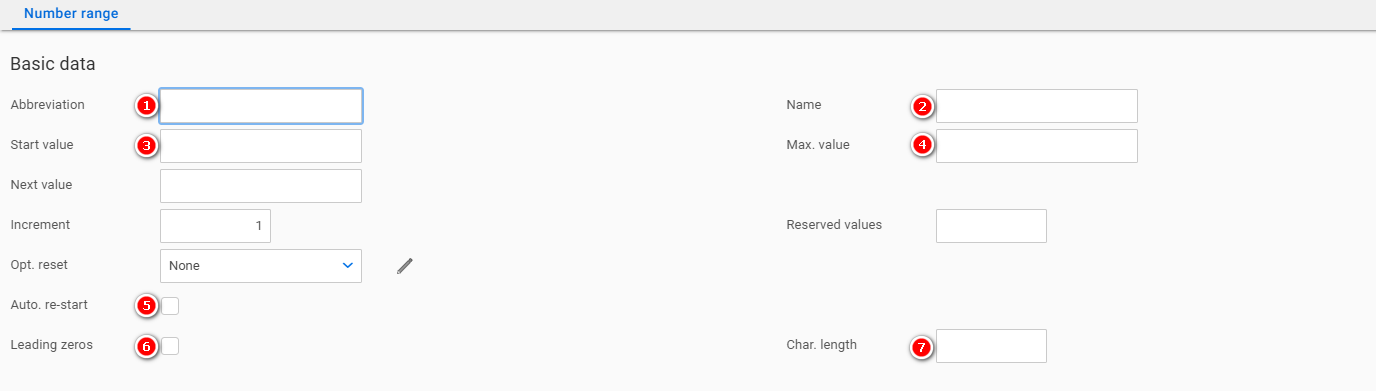
| Number | Field | Comment |
|---|---|---|
| 1 | Abbreviation | Choose a descriptive abbreviation. E.g. DSVAIR_PCK |
| 2 | Name | Choose a descriptive name. E.g. DSV Air Freight (Europe) package number range |
| 3 | Start value | 1 |
| 4 | Max. value | 999.999.999 |
| 5 | Auto. re-start | Activated |
| 6 | Leading zeros | Activated |
| 7 | Char. length | 9 |
Updated 10 months ago
Did this page help you?