
Rhenus Freight Logistics (Germany): Account Configuration
For general information about how to configure a carrier in Carrier Connect, refer to our User Guide (German version).
To create a new Rhenus Freight account in Carrier Connect, open Rhenus Freight in Master data > Carrier configurations. In the tab Accounts click on New.
Rhenus Freight (Germany) account
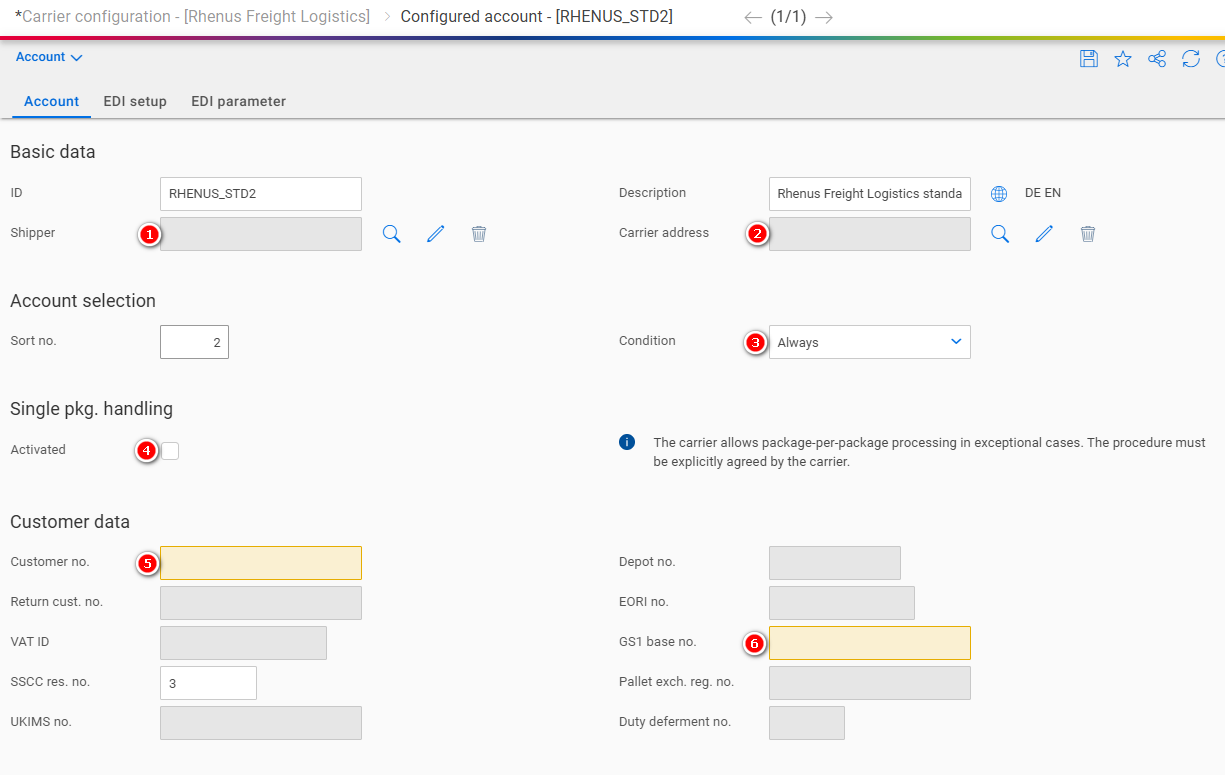
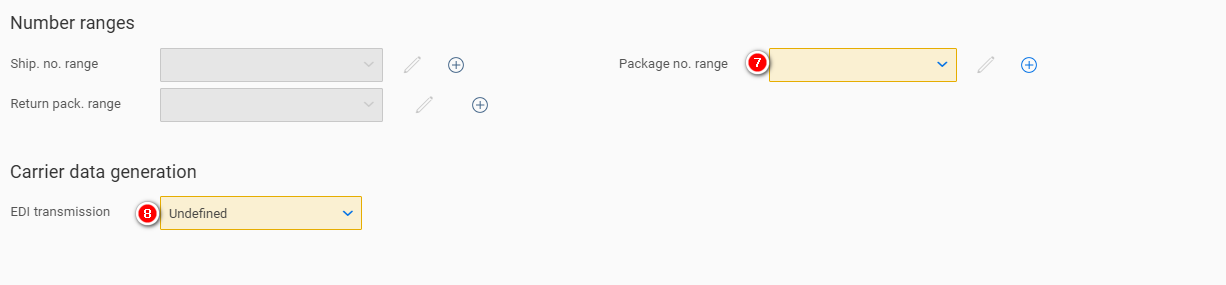
| Number | Field | Comment |
|---|---|---|
| 1 | Shipper | The address of the shipper |
| 2 | Carrier address | The address of the carrier (depot) |
| 3 | Condition | See our user guide |
| 4 | Single pkg. handling | See Single Package Handling |
| 5 | Customer no. | Assigned by the carrier |
| 6 | GS1 base no. | Your company's GS1 base number |
| 7 | Package no. range | See Package number range |
| 8 | EDI transmission | Set to Send and log |
Single Package Handling

- The package number and the total number of packages are usually printed on the package label, e.g. 1 OF 2 for the first package, 2 OF 2 for the second package. Exception is the UPS service "Standard Package". With this service, 1 OF 1 is always printed on each package label, regardless of how many packages there are in total.
- If single package handling is activated, 1 OF , 2 OF , etc. will be printed on the label for all services except "UPS Standard Package".
Package number range
For general information about how to configure number ranges refer to Entering new number ranges and receiving notifications (German version) in our Carrier Connect user guide.
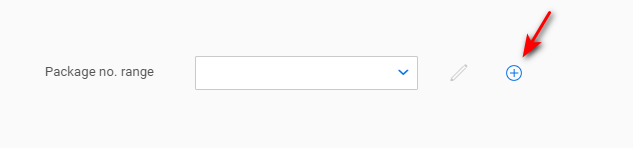
Click on the + to create a new number range:
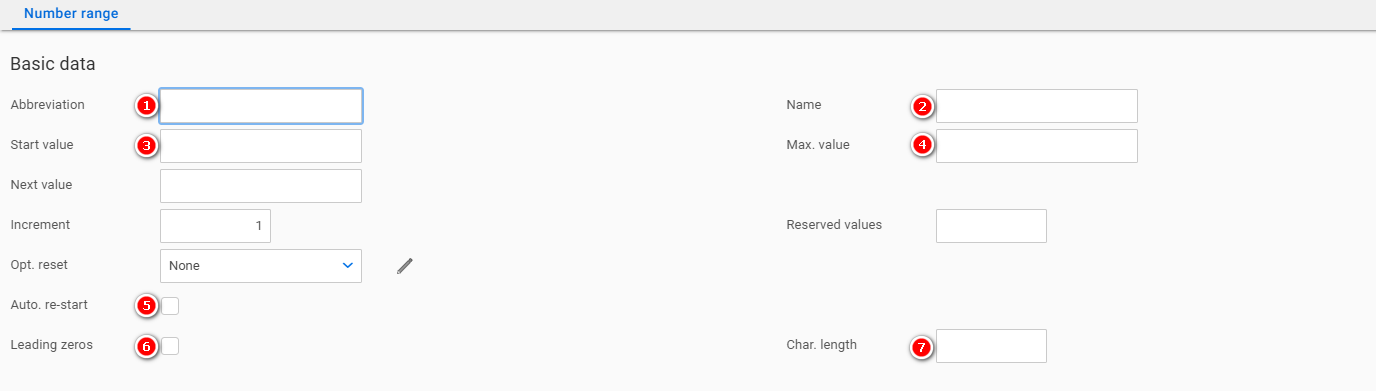
| Number | Field | Comment |
|---|---|---|
| 1 | Abbreviation | Choose a descriptive abbreviation. E.g. RHENUS_PCK |
| 2 | Name | Choose a descriptive name. E.g. Rhenus (Germany) package number range |
| 3 | Start value | Assigned by the carrier |
| 4 | Max. value | Assigned by the carrier |
| 5 | Auto. re-start | Activated |
| 6 | Leading zeros | Activated |
| 7 | Char. length | 8 |
EDI setup
In this section the EDI upload parameters are configured.
EDI number range
For general information about how to configure number ranges refer to Entering new number ranges and receiving notifications (German version) in our Carrier Connect user guide.
Click on the + to create a new number range:

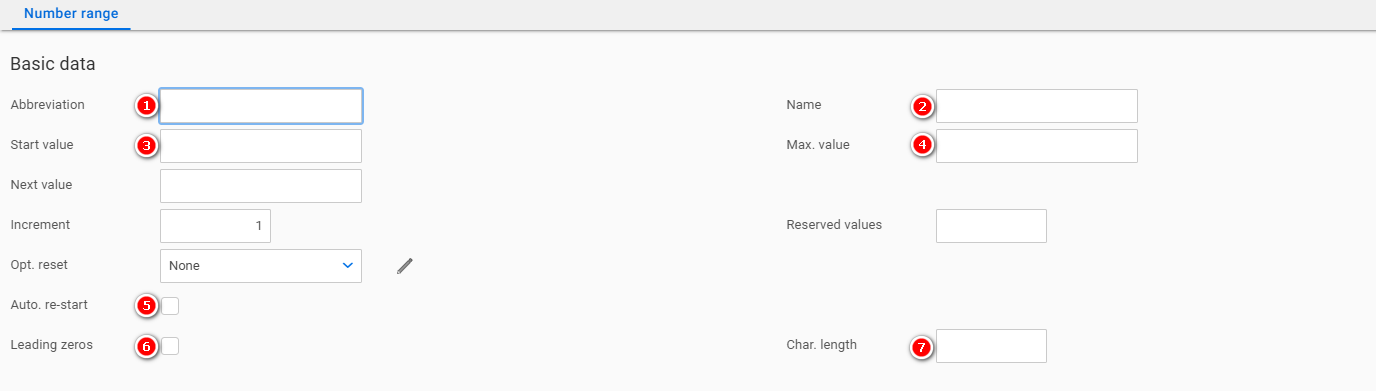
| Number | Field | Comment |
|---|---|---|
| 1 | Abbreviation | Choose a descriptive abbreviation. E.g. RHENUS_EDI |
| 2 | Name | Choose a descriptive name. E.g. Rhenus EDI number range |
| 3 | Start value | 1.000.001 |
| 4 | Max. value | 9.999.999 |
| 5 | Auto. re-start | Activated |
| 6 | Leading zeros | Activated |
| 7 | Char. length | 7 |
Updated 10 months ago